











- A day in your plant — without a dedicated BOM module
For Production & Planning Managers
BatchMaster’s bill of materials management software links every raw material, packaging component, and sub-assembly to the formula that defines it, so what production builds is exactly what was approved. The ERP BOM module is purpose-built for UK process manufacturers running food, pharma, chemical and personal care production.
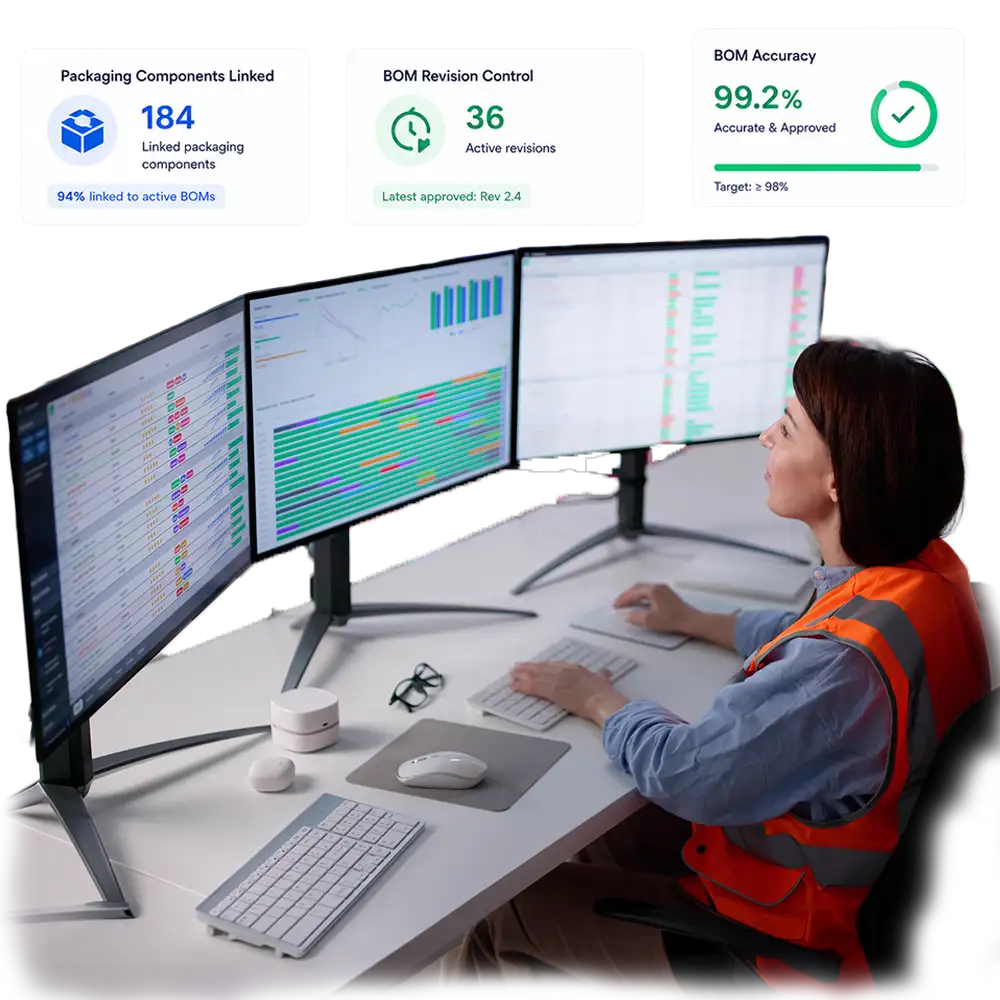
The line starts on a 500ml order. Forty minutes in, someone notices the caps don’t fit — production is running the old BOM, built before the pack redesign three months ago.
Nobody flagged the change because there was no clean way to compare the current BOM against the version it replaced. The planner who built the new BOM copied it from the old one by hand, in a spreadsheet, and missed one line.
Meanwhile, purchasing ordered raw materials against the same stale BOM data. The wrong quantity of the wrong cap size is already sitting in goods-in. Nobody can say with confidence which BOM version MRP actually planned against.
The line stops. Forty minutes of production, and the caps that were ordered, are both wasted.
As bill of materials ERP software, BatchMaster caters to both Process (Formula BOM) and Discrete (Assembly BOM) manufacturing needs. A single BOM can be allocated across multiple formulas, so packaging structures don't need to be rebuilt every time a recipe changes.
The BOM explosion functionality displays the full exploded view of a BOM in an inverted tree format, with sub-level items broken out in a table. See exactly what a finished good depends on, at every level, before it reaches the floor.
Compare the current BOM version against previous ones side by side, view and revert to a prior version if something changed incorrectly, and purge outdated versions once they're no longer needed — all from the same screen.
The BOM module offers seamless integration with BatchMaster's planning module, helping UK-based process manufacturers ensure more accurate lead times for production scheduling — because MRP is always calculating against the current, released BOM.
Finished Good, Intermediate, and Assembly BOM types in one system
Multi-level manufacturing BOM support with full hierarchy view
BOM explosion in inverted-tree format with sub-level item detail
Release BOM, resequencing, and toggle units functionality
Fill level defined in your desired unit of measurement
Support for multiple packaging options per finished good
Single BOM allocation across multiple formulas
Version comparison, revert to prior version, and purge of outdated versions
BOM report classifying top assembly items, types, and formula-linked component status
Single BOM allocation across multiple formulas
Complete integration with the entire BatchMaster ERP system
BOM report classifying top assembly items, types, and formula-linked component status
BOM is a flat parts list bolted onto inventory, disconnected from the formula
No way to see the full hierarchy — sub-level components buried in separate records
Packaging changes mean editing the core recipe, risking the master formula
Planning works from whatever BOM data happens to be on file, right or wrong
Formula BOM and Assembly BOM structures link directly to the active recipe — process and discrete manufacturing both covered
BOM explosion shows the complete inverted-tree hierarchy, with sub-level items listed in one table
Assembly BOMs manage packaging separately from the formula — swap pack formats without touching the recipe
Seamless integration with the planning module for accurate, BOM-driven lead times

Finished Good and Assembly BOMs for multiple pack sizes off one recipe, with allergen-linked packaging components and BRCGS-ready documentation.

Finished Good and Assembly BOMs for multiple pack sizes off one recipe, with allergen-linked packaging components and BRCGS-ready documentation.
Fill-level control by weight or volume, multi-pack Assembly BOMs, and BOM reports aligned with FSA traceability requirements for retail supply.

Multi-level intermediate BOMs for complex production trees, drum and IBC packaging structures, and REACH-aligned component traceability.

Assembly BOMs covering jars, pumps, cartons and inserts, allocated across formula variants — swap packaging without touching the underlying formulation.

Multi-level BOMs for tinted and base formulations, can and tin size variants managed as Assembly BOMs, with full BOM explosion for production planning.



A bill of materials in ERP software is a structured list of every raw material, sub-assembly, intermediate component, and part — along with the quantities required — to produce a finished product. In an ERP bill of materials module, the BOM links the formula or recipe to the finished goods or intermediates held in inventory, and feeds directly into planning, costing, and production scheduling.
Bill of materials software is the system manufacturers use to create, structure, and maintain BOMs — defining components, quantities, packaging options, and unit-of-measure detail without manual, error-prone calculations. BatchMaster’s bill of materials software supports Finished Good, Intermediate, and Assembly BOM types, each linked to the active formula or recipe.
Bill of materials management software gives UK manufacturers a single, version-controlled record of every component that makes up a finished product — reducing the production delays and stock errors caused by outdated or inconsistent BOMs. BatchMaster’s BOM module adds multi-level BOM explosion, automatic cost rollup, and direct integration with the planning module, so material requirements and production schedules are always based on current, accurate BOM data.
An ERP BOM module is the part of a manufacturing ERP system dedicated to creating and managing bills of materials. BatchMaster’s ERP BOM module includes Finished Good, Intermediate, and Assembly BOM types, multi-level BOM support with an inverted-tree explosion view, Release BOM and resequencing functionality, version comparison with revert and purge, and full integration with formulas, planning, and costing.
A Formula BOM covers process manufacturing — the recipe-driven combination of raw materials and intermediates that make up a batch. An Assembly BOM covers discrete manufacturing elements such as packaging: bottles, caps, labels, and cartons assembled around a finished product. BatchMaster’s bill of materials software caters to both, so process manufacturers can manage the recipe and the pack format as related but separately maintained structures.
Yes. A single finished good in BatchMaster can carry a Finished Good BOM, an Intermediate BOM for any sub-assemblies it depends on, and one or more Assembly BOMs for different packaging options — such as a 250ml and a 500ml pack of the same formula. A single BOM can also be allocated across multiple formulas, so packaging structures don’t need to be rebuilt every time a recipe changes.

This will close in 0 seconds